Services SERVICE
ON-DEMANDOn-Demand StreamingNational qualifications / site-entry training / staff training and more
Ahead of the DX new-normal era!
Patented AI verification monitors every session — no visual checks required.

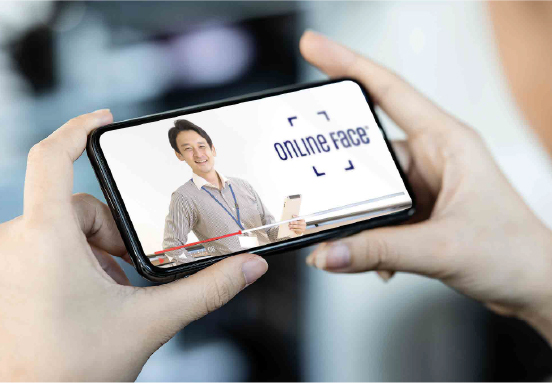

Anytime, anywhere — 24 hours a day, 365 days a year.
Take courses on a PC, tablet or smartphone — benefits for both participants and operators!
Lower running costs
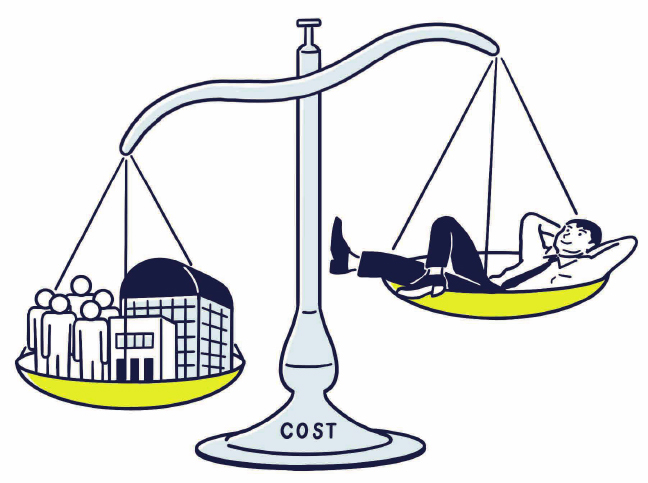
With AI-based management, operators no longer need to visually monitor participants, dramatically reducing administrative workload!
Venue rental, instructor dispatch and staffing costs are also cut!
Higher revenue


Holding courses online means you can accept new participants from anywhere in the country, regardless of venue.
New courses drive revenue growth!
 — a complete full-package platform
From participant convenience to operational efficiency — one platform for your whole DX.
From application intake, My Page creation, lectures and exams to surveys and digital certificates of completion,
ONLINE FACE covers everything online courses and examinations require.
Configure just the features you need, and start operating the same day.
1Course setup
Enter course information and register videos for your online courses.
Proprietary patented technology, approved at the ministerial level, prevents unattended streaming, impersonation and other fraud, all managed automatically by AI.
New courses drive revenue growth!

2Application intake
Operators Create your own custom application forms.
Participants Register a master photo for identity verification when applying.
Even online, the photo is automatically matched against an official photo ID to guarantee it belongs to the applicant.
(Driver's license, My Number card, passport, residence card and more)
Once the match succeeds, the uploaded ID document is automatically deleted.
3Administrator accounts
Richly tiered administrator accounts bring DX to your course operations.
Bulk applications from companies and organizations are automated, as are participant-data corrections, schedule changes and cancellations!
- Operator account Full authority over the system
- Administrator account Issued with configurable viewing/editing rights
- Corporate account For staff handling bulk company or group applications
- Participant account One account manages multiple courses

4Announcements & ad delivery
Real-time updates, even for on-demand courses!
Operators can instantly deliver the latest announcements and news to users.
With the announcement-video feature, a registered video can play automatically right after a user logs in to My Page.
Use it for course announcements, campaigns and other PR purposes.
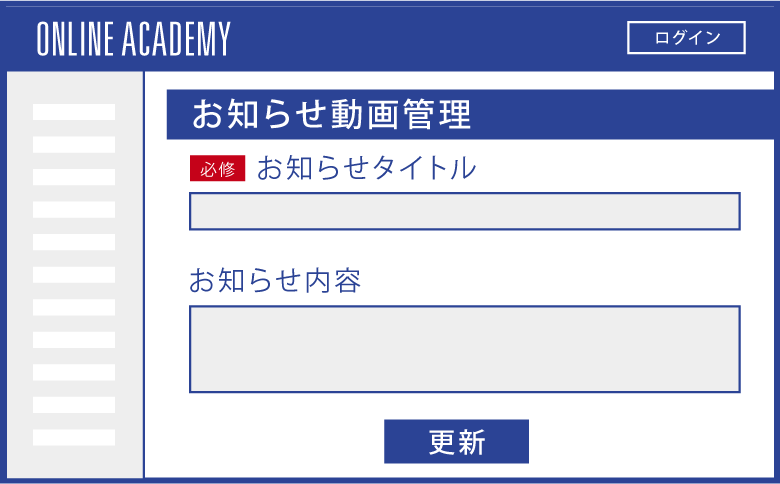 STEP 1Easy setup from the admin page!
 STEP 2Timely updates!
5Multilingual switching
With labor shortages driven by demographic change, the number of foreign workers grows every year.
For international users, you can register and stream course videos in English, Chinese and other languages.




6Q&A
A question-and-answer feature via e-mail contact form is available.
Further customization possible!



7Online exams & question banks
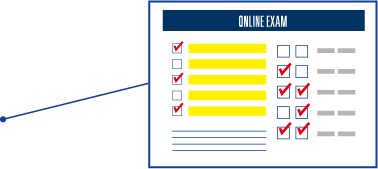
Patented AI identity verification strictly ensures that answers come from the participant themselves.
Our proprietary deep-learning model can also analyze each user's comprehension and proficiency, and deliver a program customized to each user's learning level. (Patent application No. 6887710)

8Surveys
Create your own custom survey forms.
9Digital certificate issuance
After completing a course, participants can download their digital certificate of completion.
This eliminates printing and mailing work and costs for operators and streamlines operations.
In addition to standard digital certificates, FACE BADGE® applies cutting-edge blockchain technology to firmly prevent forgery and tampering. (Patent No. 7566359)
It can be used widely, from national qualifications to courses, training and examinations run by public institutions.

10Integration with core systems
CSV and API integration with the systems you already use is also available.
Prevent input and operation errors, reduce workload and improve efficiency.

*Many more features available. Please contact us for details.
Operational support desk
A dedicated support desk is available for operation and maintenance inquiries.
We also hold regular reviews and study sessions to keep improving quality.


LIVELive Streaming
Even in interactive live group lectures,
automatic AI verification eases the burden on instructors and operators.
Beyond on-demand delivery, ONLINE FACE also supports live streaming.
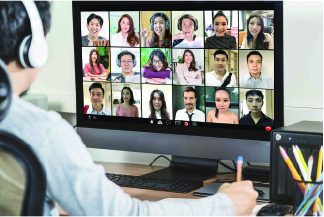
Even in large lectures where not all participants fit on the monitor, AI works in the background and watches over each participant's attendance. Real-time monitoring and visual attendance checks are no longer required.
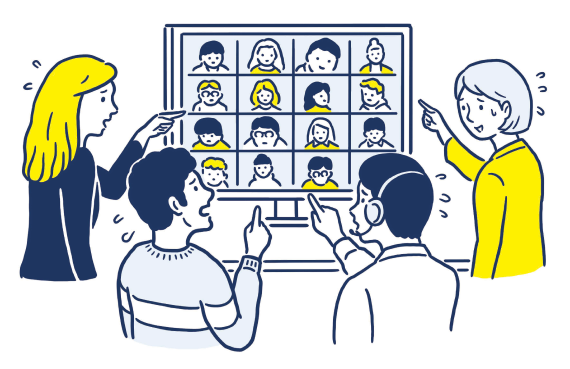
 Hard to track
each participant's attendance...

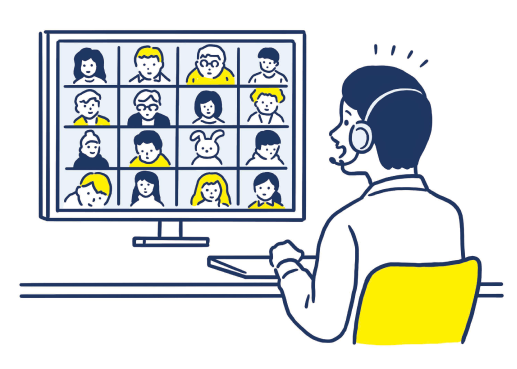
 AI checks participants
on the instructor's behalf!

POINT!
ONLINE EXAMOnline Testing / Homework & Drills
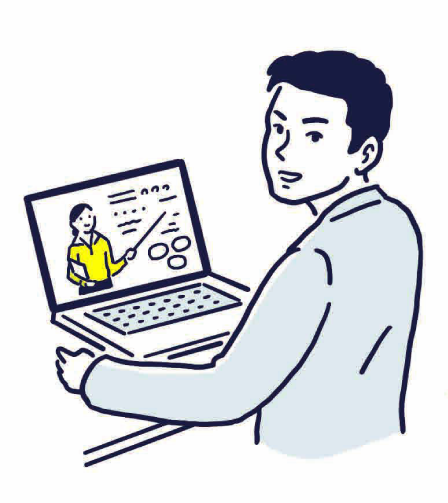
① Keeps participants appropriately attentive online, while
AI automatically ensures answers and learning are their own.
Homework, home study and examinations can also move online. As Japan's GIGA School program takes hold, every elementary and junior-high student is being equipped with a digital device. Even for homework and home study, copying and proxy answering are prevented while AI watches over correct learning habits.


POINT!
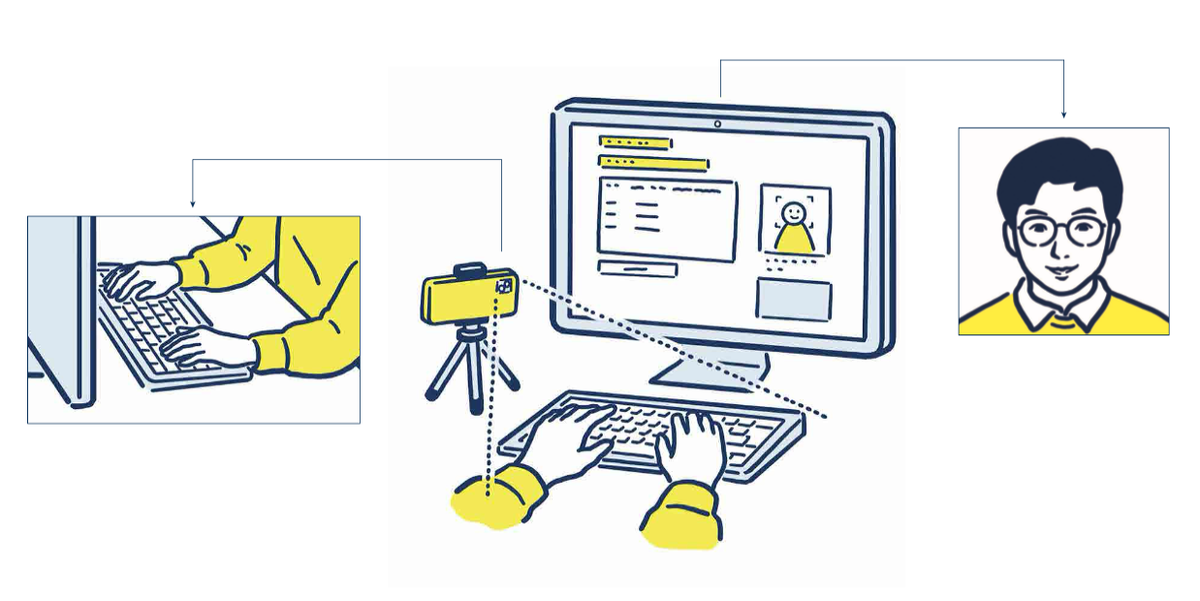
② Linking with the cameras of the examinee's other devices eliminates blind spots for even stricter anti-fraud measures.
In addition to identity checks and anti-fraud measures on the exam device, the system links with the cameras of other devices the examinee owns, such as a smartphone, eliminating surveillance blind spots and preventing cheating and other fraud even more rigorously. (Patent No. 7773825)
POINT!
How to use

- 1
In advance, install the ONLINE FACE verification app on the examinee's smartphone (or tablet).

- 2
Log in to the exam page on a PC or tablet. Before starting the exam, the exam setup must be completed.

- 3
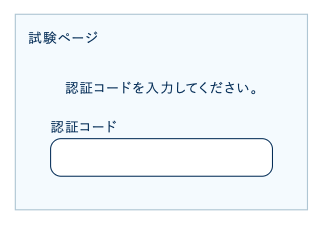
Click the "Start setup" button on the exam page.
- 4
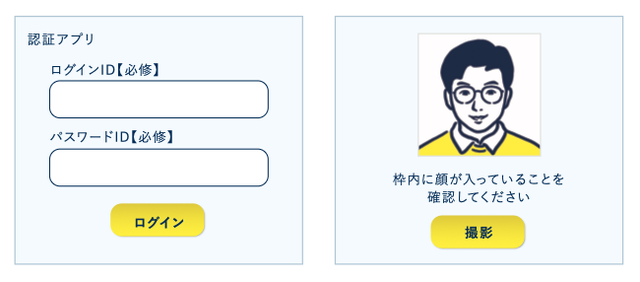
Launch the ONLINE FACE verification app on the device where it is installed.
- 5
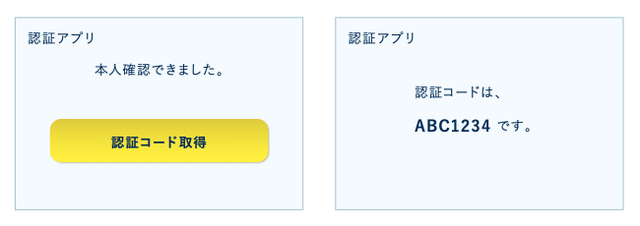
Tap "Get verification code" in the app.
- 6
Enter the code shown in the app on the PC screen to link the devices.

- 7
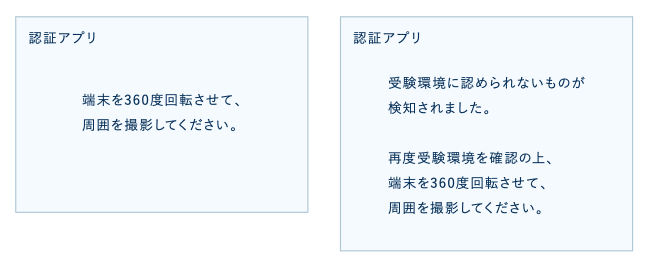
First, tap the "Environment check" button shown in the app and, following the instructions, film a 360-degree view of the exam environment.
- 8
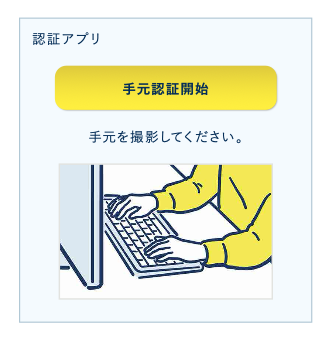
Next, the camera starts automatically; point it at the examinee's hands and tap the "Start hand verification" button shown in the app (or on the PC).
- 9
Once the app recognizes the examinee's hands, the exam start button on the PC is enabled.

- 10
During the exam, the linked smartphone or tablet monitoring the examinee's hands is verified at the same random intervals as the exam device.
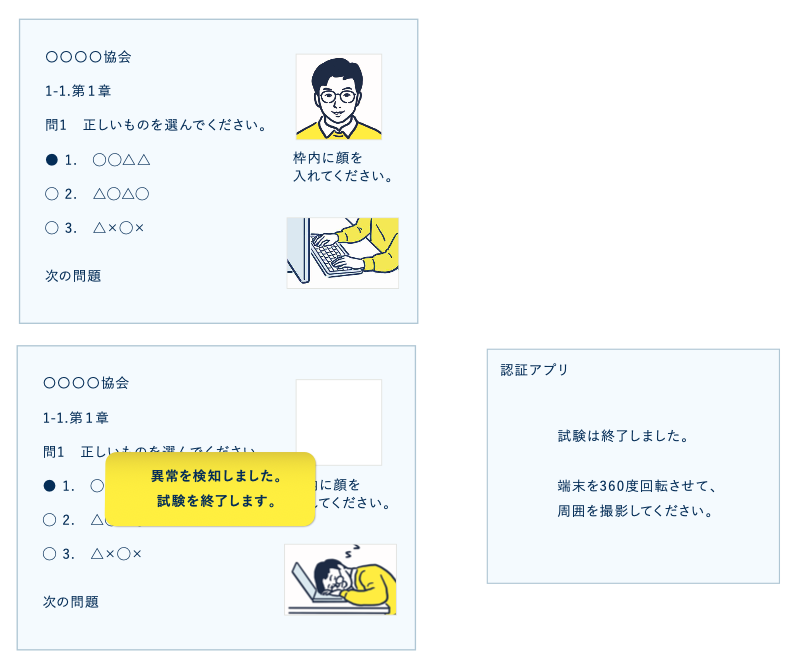
*The system checks that hands remain visible and that no objects that could enable cheating, such as smartphones or textbooks, appear in view.
CONTENTS MAKINGContent Production
Our professional staff record and edit video and audio for your streaming content.
We share recording know-how and formats, and provide thorough after-delivery support.

Video recording
- ・Studio recording (equipment included)
- ¥65,000 / session up to 60 min.
Audio recording
- 1 Studio recording (with basic mixing)
- ¥35,000 / up to 30 min. ¥65,000 / up to 60 min.
- 2 AI-voice recording (with basic mixing)
- ¥35,000 / up to 30 min. ¥65,000 / up to 60 min.
- ・Recording by a professional narrator
- ¥48,000 / up to 30 min. ¥78,000 / up to 60 min.
Studio & equipment rental
- ・Studio & equipment rental
- ¥35,000 / day
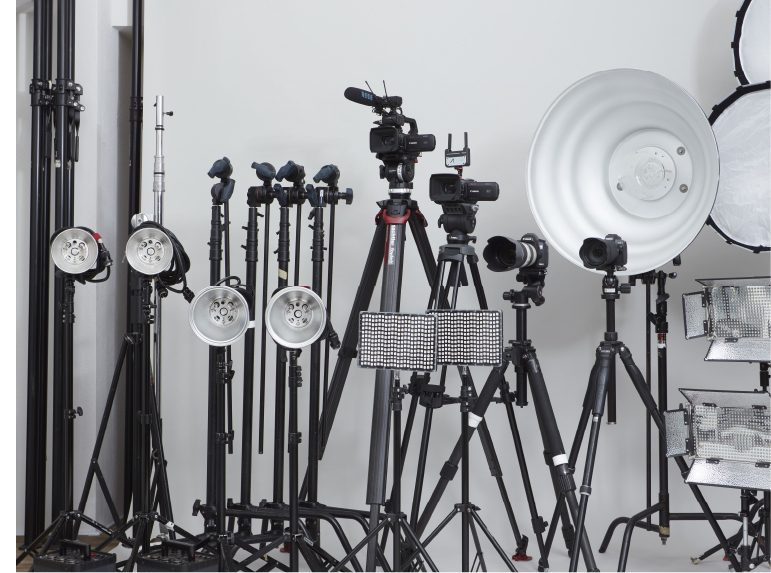
Camera equipment, various lights, monitor, whiteboard,
laser pointer, lectern and more
*On-location shoots incur separate travel expenses.
Video editing
- ・Simple opening / ending and slide mixing
(mixing in slide decks such as PowerPoint) - ¥12,000 / session up to 60 min.
- ・Subtitling
(*includes transcription from audio) - ¥18,000 / up to 30 min. ¥35,000 / up to 60 min.
After-delivery support services
- ・Caption insertion
- ¥7,000 / instance
- ・Subtitle correction
- ¥7,000 / instance
- ・Slide replacement
- ¥7,000 / instance
*Except for recording & editing at our own studio, separate travel expenses apply.
